
Connect transport invoice control to your ERP
References, tariffs, duplicates, exceptions and acceptance: scope an ERP integration for transport invoice control while preserving traceability.
Connecting freight invoices to your ERP is about more than moving files. Each line needs to match the right shipment, use the right rule and make exceptions understandable. Here are the decisions to make before building the connector.
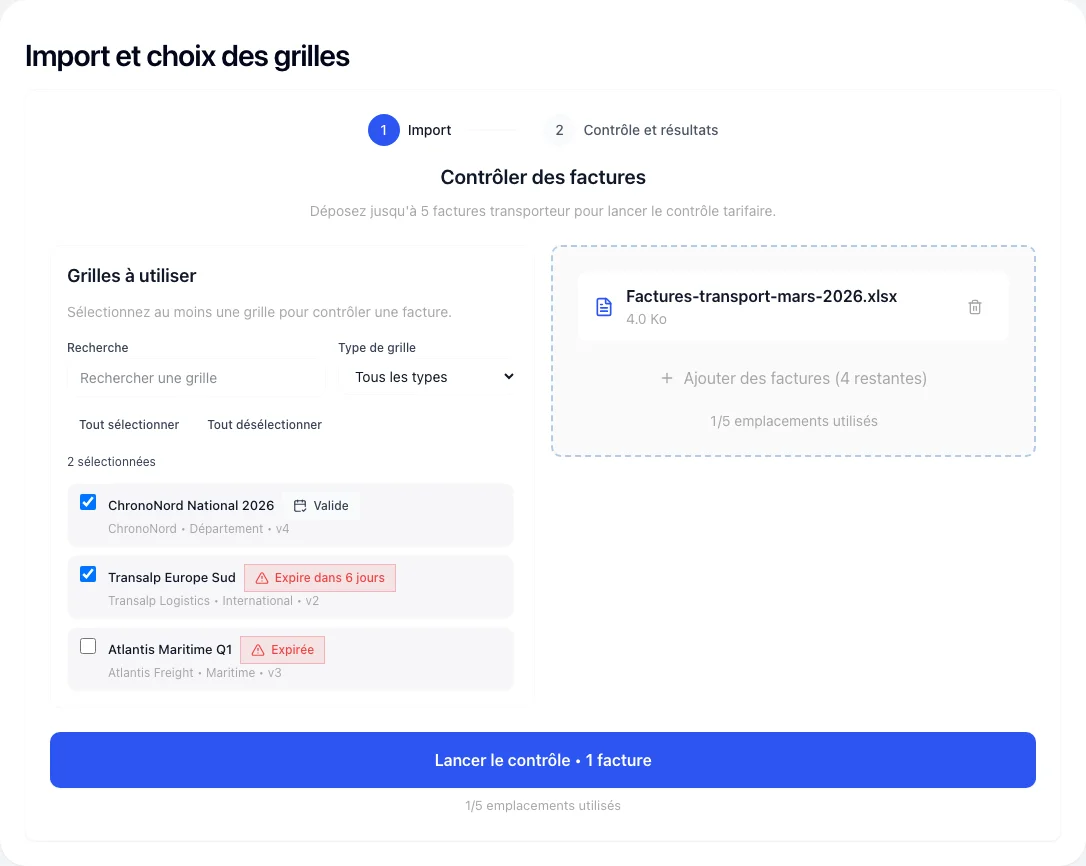 Open full-size screenshot
Gather the data needed for a check
Your ERP may know an order without holding its parcel details or applicable freight rate. Identify the source of each piece of information, then choose a stable matching unit: order, shipment or parcel.
- References: carrier, invoice, order and shipment; preserve the original values.
- Amounts: currency, tax basis, surcharges and rate period.
- Formats: dates, weight units, required fields and missing values.
Start with a manageable data exchange
A CSV export may be enough for the first batch. First check the fields and logic using representative files, imperfections included. An API becomes useful when frequency and constraints justify it; it also raises access and recovery questions.
FretGuard’s public documentation covers reading invoices. It does not mean that an import from your ERP or an accounting write-back is already available: those exchanges need scoping.
Reconciliation example: three lines, three decisions
- Exact reference and valid rate card: the line can be recalculated.
- Reference matching two shipments: a person must resolve the ambiguity.
- Surcharge with no available contractual condition: request the missing document.
This example is fictional. Three lines were imported, but only one can be fully checked. Missing data is not an overcharge; a potential discrepancy is not a realised saving.
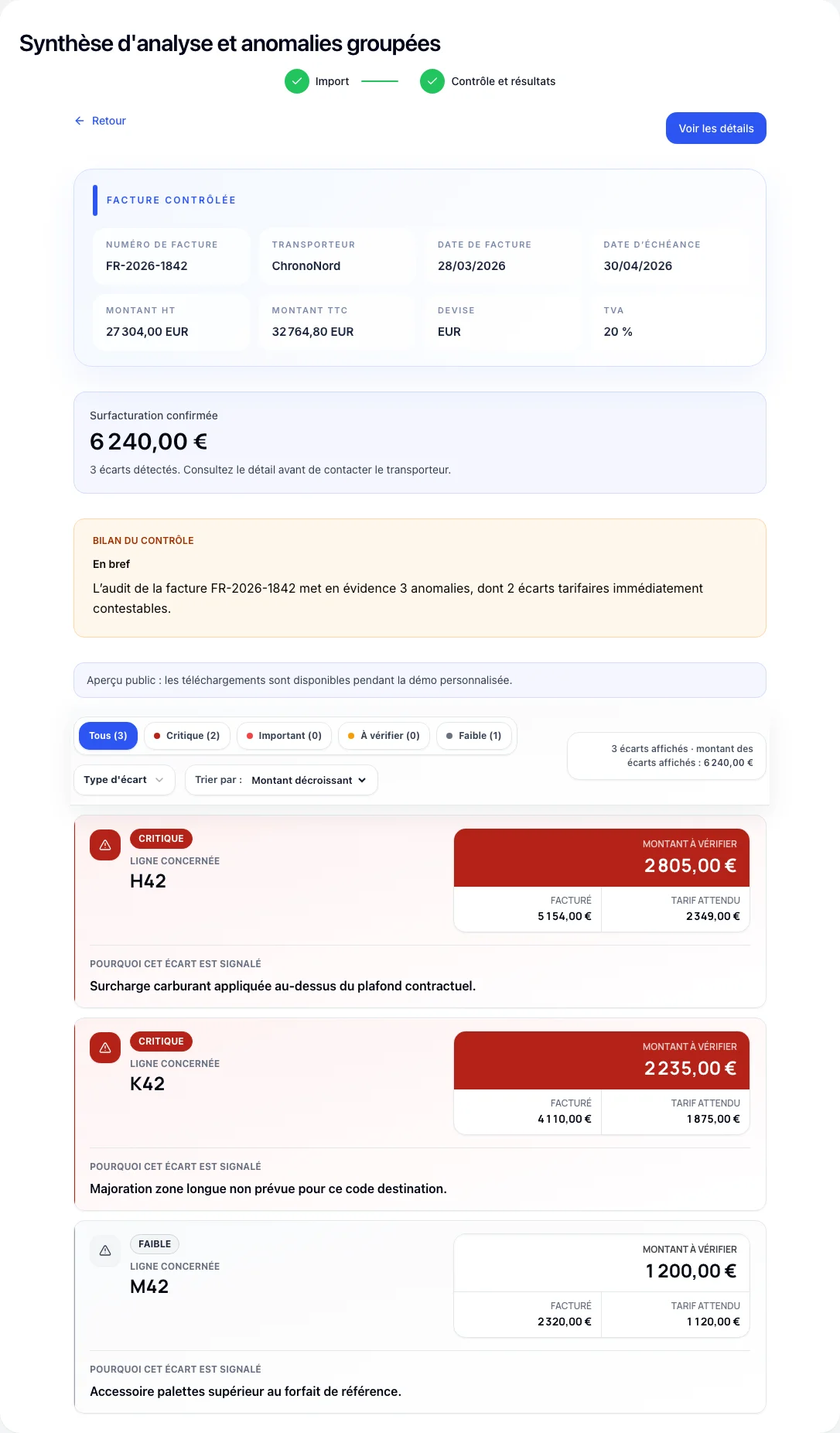 Open full-size screenshot
Test what happens when the data flow fails
- Sending a file twice must not double the recorded expense.
- An interrupted import must resume without losing processed lines.
- A corrected invoice must remain identifiable as a new version.
Also test an expired rate card, a different currency and a partial credit note. Finance validates amounts, transport validates rules, and IT validates data exchanges. Keep expected outcomes and unresolved defects in a shared acceptance record.
Return evidence before planning ERP write-back
The result should show the invoice, source line, rule, expected amount and approval owner. A credit request, an accepted credit and a posted credit remain three different stages. Any automatic ERP write-back needs its own permissions, checks and correction procedure.
Build an actionable discrepancy case
Prepare the project and its operation
For a first discussion: ERP name and version, an anonymised export, volume, frequency and desired result. Identify who confirms the rules and handles exceptions. Limit access and data retention to the agreed need.
After launch, someone must monitor imports, rejections and data freshness. Agree on support, backups and maintenance when the ERP changes. A new carrier or subsidiary remains an extension to validate.
Understand the platform and custom-module approach
Sources and references
A transport workflow to adapt?
Describe your needs and tools. We will distinguish the existing platform, the adaptations to plan and the questions to investigate with your IT team.
Discuss your project